7.2.2.1.3. Glulam Beam Multispan Design Example
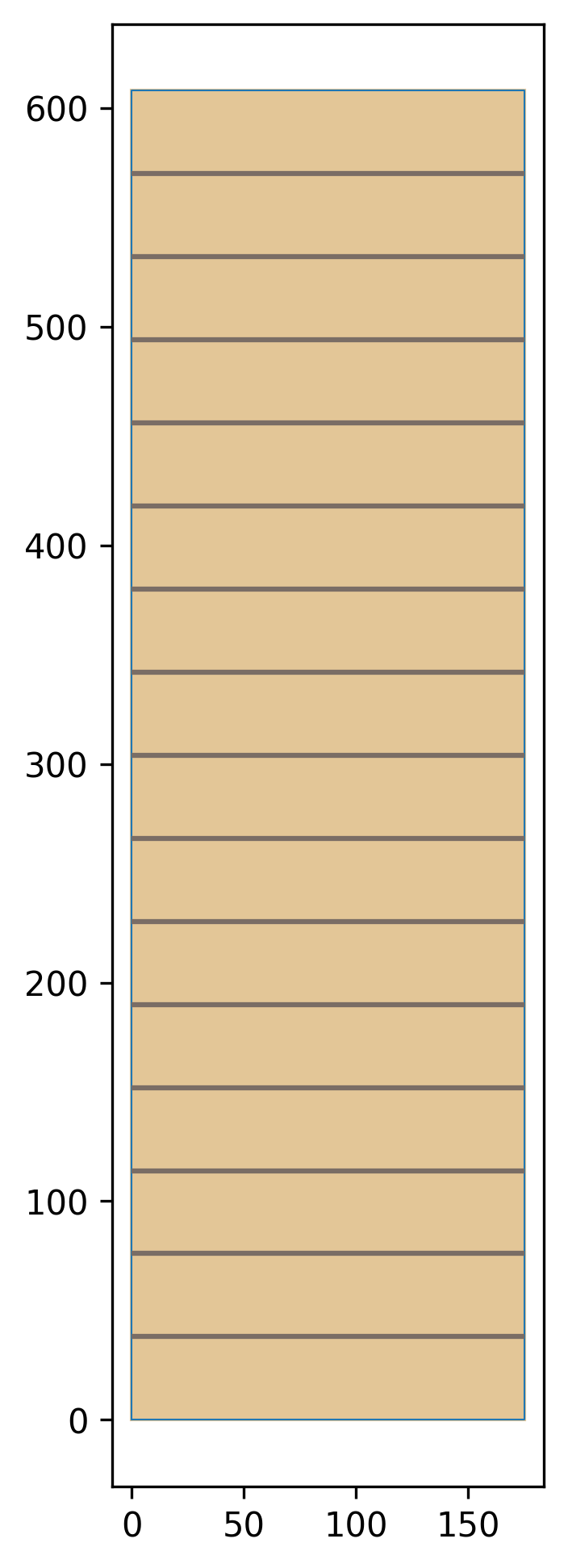
This example shows how a multi-span glulam beam can be checked for Moment. In CSA o86, multi-span beams are required to have a kL for each segment between support points, and a different kzbg for each portion of the BMD between inflection points. The beam we are assessing is a 175x608 20f-E glulam beam a shown below, where the length between supports is 6m and the cantilever is 2m long. We’ll assume the beam is laterally supported through it’s top flange in the first span, and unsupported for it’s cantilever.

The first step is to import all the necessary libraries, and defile some variables for the problem. This example requires the library planesections is installed, which we will use to analyze the beam. We will also use numpy for some small data analysis tasks.
import limitstates as ls
import limitstates.design.csa.o86.c19 as o86

import planesections as ps
import numpy as np
width = 175 # Section width in mm
depth = 608 # Section depth in mm
length = 8  # Beam length in m
supportPositions = [0, 6.]
We’ll define the section and material properties as usual
myMat       = o86.loadGlulamMaterial('SPF', '20f-E')
mySection   = ls.SectionRectangle(myMat, width, depth)
Because the beam is multi-span, we need to use a custom beam support. We can do so using objects from the limistates geometry library.
pinSupport    = ls.SupportTypes2D.PINNED.value
rollerSupport = ls.SupportTypes2D.ROLLER.value
freeSupport     = ls.SupportTypes2D.FREE.value

n1 = ls.Node([supportPositions[0], 0.], 'm', support = pinSupport)
n2 = ls.Node([supportPositions[1], 0.], 'm', support = rollerSupport)
n3 = ls.Node([length, 0.], 'm', support = freeSupport)
line1  = ls.getLineFromNodes(n1, n2)
line2  = ls.getLineFromNodes(n2, n3)
member = ls.Member([n1, n2, n3], [line1, line2])
From here defining the beam is similar to usual, however, we will set some properties related to the span. Table 7.4 is used to determine the unbraced span lengths. We’ll plot the section once we’re done with it.
designProps = o86.DesignPropsGlulam19(Lx=[5,3],
                                      kexB=[1.92, 1.92],
                                      lateralSupport=[True, False])
myElement   = o86.BeamColumnGlulamCsa19(member, mySection, designProps)

myElement.eleDisplayProps.configObject.originLocation = 3
ls.plotElementSection(myElement)
To analyze the beam, we’ll convert it to a planesections beam object, then apply our loading. A convert function in limistates can be used to directly transfer our beam over. We’ll also create a figure of the beam diagram.
beamPs      = ls.convertBeamColumnToPlanesections(myElement)
kN = 1000
q = [0.,-35*kN]
beamPs.addVerticalLoad(length, -70*kN, label='A')
beamPs.addVerticalLoad(3, -70*kN, label='C')
beamPs.addDistLoad(0, length, q, label='B')
ps.plotBeamDiagram(beamPs, labelForce=True, plotForceValue=True)
We run the analysis as usual using planesections.
analysis = ps.PyNiteAnalyzer2D(beamPs)
analysis.runAnalysis(recordOutput=True)
We them make some output plots to make sure we’re happy with the results, get the bending moment diagram, and convert it to a limistates diagram object.
ps.plotVertDisp(beamPs)
ps.plotShear(beamPs,  0.001, labelPOI=True, yunit='kN')
ps.plotMoment(beamPs, 0.001, labelPOI=True, yunit='kNm')

xyBMD = beamPs.getBMD()

diagram = ls.DesignDiagram(np.column_stack(xyBMD))
xCoords = diagram.getIntersectionCoords()
We’ll check the Moment and shear for our beam. The simplified function checkVrGlulamBeamSimple() will assume the beam is laterally supported over it’s whole length, and used here as a reference upper bound on strength.
# Check the capacity of the beam assuming it is laterally supported.
Mr = o86.checkMrGlulamBeamSimple(myElement)
Finally, we check the moment for the multi-span beam. The results are broken up per section.
The whole design example is as below:
"""
This example shows how a multi-span glulam beam can be checked for Moment.


The base limitstates library is imported for object manipulation.
The design library for csa o86's is imported for specific objects and checks
The library Planesections is used for beam analysis.
"""
import limitstates as ls
import limitstates.design.csa.o86.c19 as o86

import planesections as ps
import numpy as np

"""
For convience some units, and the section dimensions are defined.
By default materials are in units of MPa, sections are in units of mm,
and length is in units of m.
"""
width = 175 # Section width in mm
depth = 608 # Section depth in mm
length = 8  # Beam length in m
supportPositions = [0, 6.]

myMat       = o86.loadGlulamMaterial('SPF', '20f-E')
mySection   = ls.SectionRectangle(myMat, width, depth)


"""
Because the beam in this example is multi-span, the typical initization
functions do not apply. Instead we'll build up a custom member using a set
of nodes and lines.
"""
# We set up a custom member
pinSupport    = ls.SupportTypes2D.PINNED.value
rollerSupport = ls.SupportTypes2D.ROLLER.value
freeSupport     = ls.SupportTypes2D.FREE.value

n1 = ls.Node([supportPositions[0], 0.], 'm', support = pinSupport)
n2 = ls.Node([supportPositions[1], 0.], 'm', support = rollerSupport)
n3 = ls.Node([length, 0.], 'm', support = freeSupport)
line1  = ls.getLineFromNodes(n1, n2)
line2  = ls.getLineFromNodes(n2, n3)
member = ls.Member([n1, n2, n3], [line1, line2])


designProps = o86.DesignPropsGlulam19(Lx=[5,3],
                                      kexB=[1.92, 1.92],
                                      lateralSupport=[True, False])
myElement   = o86.BeamColumnGlulamCsa19(member, mySection, designProps)

myElement.eleDisplayProps.configObject.originLocation = 3
ls.plotElementSection(myElement)

"""
Define the beam nodes loads
"""

beamPs      = ls.convertBeamColumnToPlanesections(myElement)
kN = 1000
q = [0.,-35*kN]
beamPs.addVerticalLoad(length, -70*kN, label='A')
beamPs.addVerticalLoad(3, -70*kN, label='C')
beamPs.addDistLoad(0, length, q, label='B')
ps.plotBeamDiagram(beamPs, labelForce=True, plotForceValue=True)

"""
Run the analysis
"""
analysis = ps.PyNiteAnalyzer2D(beamPs)
analysis.runAnalysis(recordOutput=True)


"""
Plot the shear force, and show labeling.
"""
ps.plotVertDisp(beamPs)
ps.plotShear(beamPs,  0.001, labelPOI=True, yunit='kN')
ps.plotMoment(beamPs, 0.001, labelPOI=True, yunit='kNm')

xyBMD = beamPs.getBMD()

diagram = ls.DesignDiagram(np.column_stack(xyBMD))
xCoords = diagram.getIntersectionCoords()

# Check the capacity of the beam assuming it is laterally supported.
Mr = o86.checkMrGlulamBeamSimple(myElement)
Vr = o86.checkVrGlulamBeamSimple(myElement)

# Check the capacity of the beam assuming it is a multispan beam.
MrMulti, xSpans, kz, kL = o86.checkMrGlulamBeamMultiSpan(myElement, diagram)